Case study 02 · Self-initiated · Full app in Figma · 2026

LINKWELL.

A Wi-Fi app for shop owners in India with 1 to 5 shops. One question comes first: can my shops take payments?

linkwell is fictional. the problem is real.

Role

Research, UX, UI, prototype, handoff

Platform

Android app, designed in Figma

Timeline

About 7 working days

The Linkwell cover: Wi-Fi control for small shop owners, not IT people. Three Android screens: Connecting, the Jayanagar shop with Billing Wi-Fi working, and an alert

The cover of the Figma file: a concept Android app, 112 screens in 10 parts, from sign-up to billing.

00 · In 30 seconds

THE SHORT VERSION.

The problem

Shop Wi-Fi apps speak IT. When the Wi-Fi drops, UPI payments at the counter stop, and the owner can’t tell why.

What I made

A full Android app: 10 parts, 112 screens, every failure drawn. Home answers one question before any list.

What is still a guess

I haven’t met real owners yet. It’s built on desk research: 5 apps, 31 public reviews. The test plan is ready.

01 · The problem

FIVE APPS.ALL SPEAK IT.

Owners aren’t network people. Today’s apps show network words and a flood of alerts. The one thing an owner needs is nowhere: can I take payments?

What today’s apps show

  • —  WAN link down on GW-01.
  • —  SSID 2 broadcast disabled.
  • —  Firmware 2.4.1-b7 pending.
  • —  14 new alerts since 9:30 am.

Correct. And useless at the counter.

What the owner hears · 9:41 AM

Kavya · manager, Malleshwaram shop · WhatsApp

Sir, UPI is not going through. Customers are waiting at the counter.

Is it our Wi-Fi or the bank?

Kavya and the shops are fictional personas from my research.

02 · The flow

SCAN THE BOX.THEN EVERY FAILURE.

Adding a device is where a new owner gives up. Six screens get it online, and every wait says what it is waiting for. Then I drew each way it can fail.

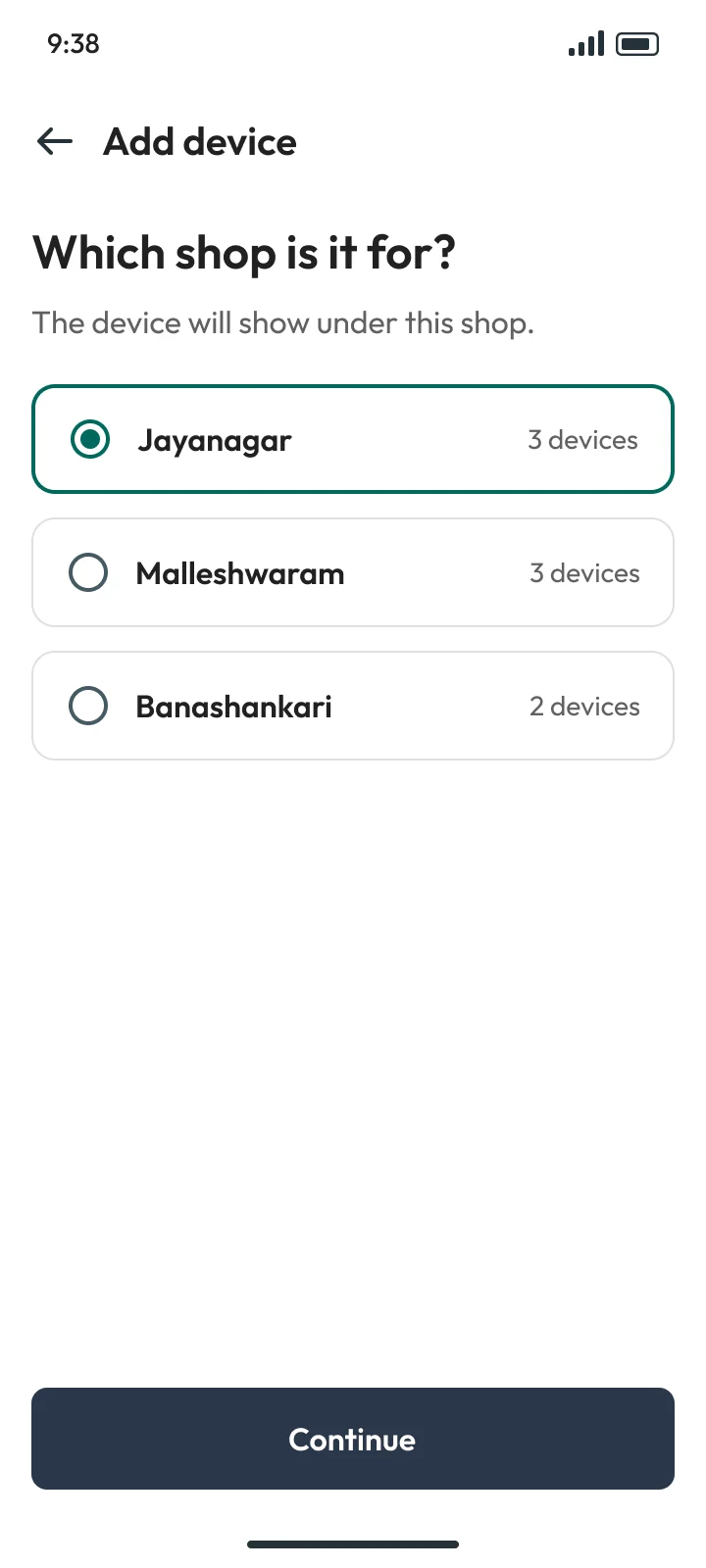
  1. 1CHOOSE SHOP

    Step 1: Which shop is it for? Jayanagar, Malleshwaram or Banashankari, with how many devices each has
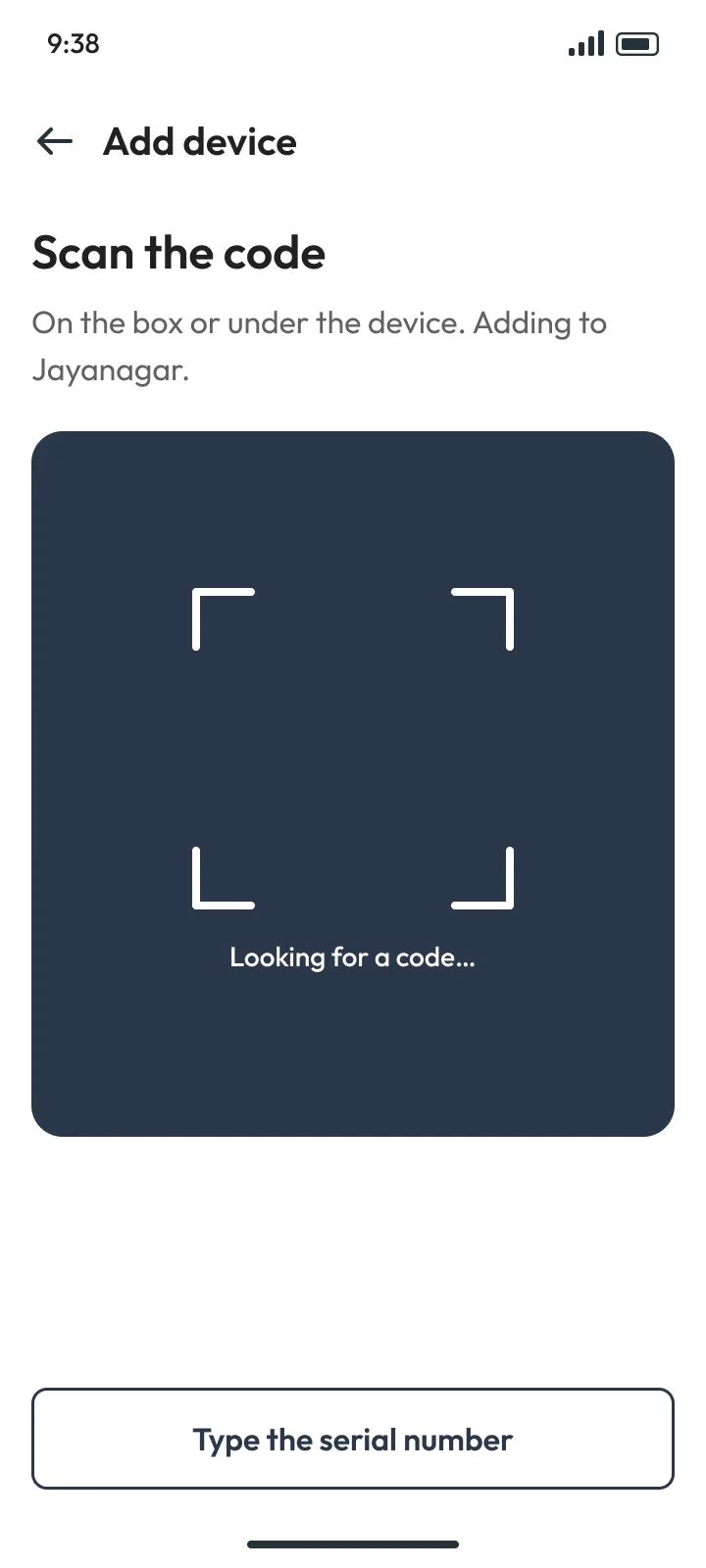
  2. 2SCAN CODE

    Step 2: Scan the code on the box, with Type the serial number always on screen
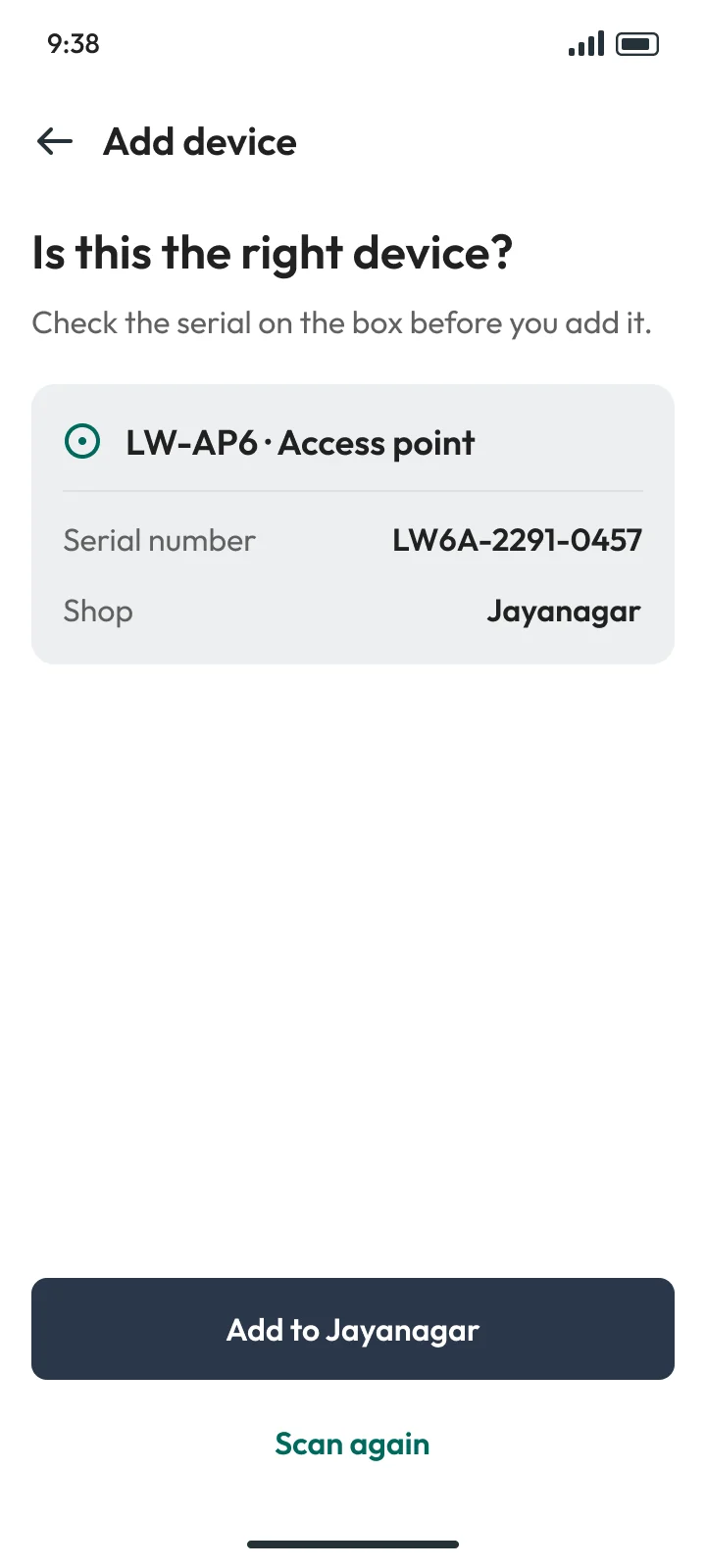
  3. 3CHECK DEVICE

    Step 3: Is this the right device? The access point's model, serial number and shop, before it is added
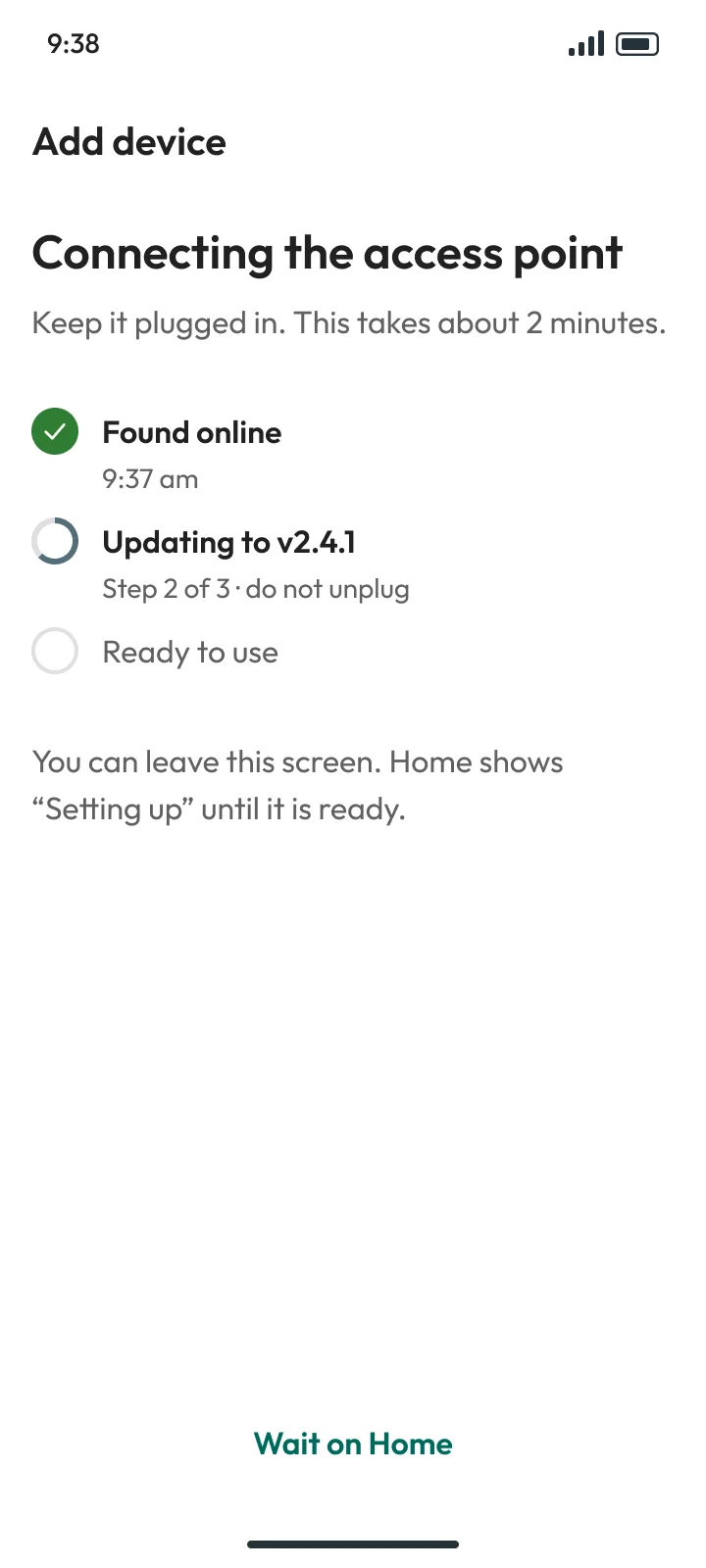
  4. 4CONNECTING

    Step 4: Connecting the access point: found online, updating to v2.4.1 step 2 of 3, then ready to use
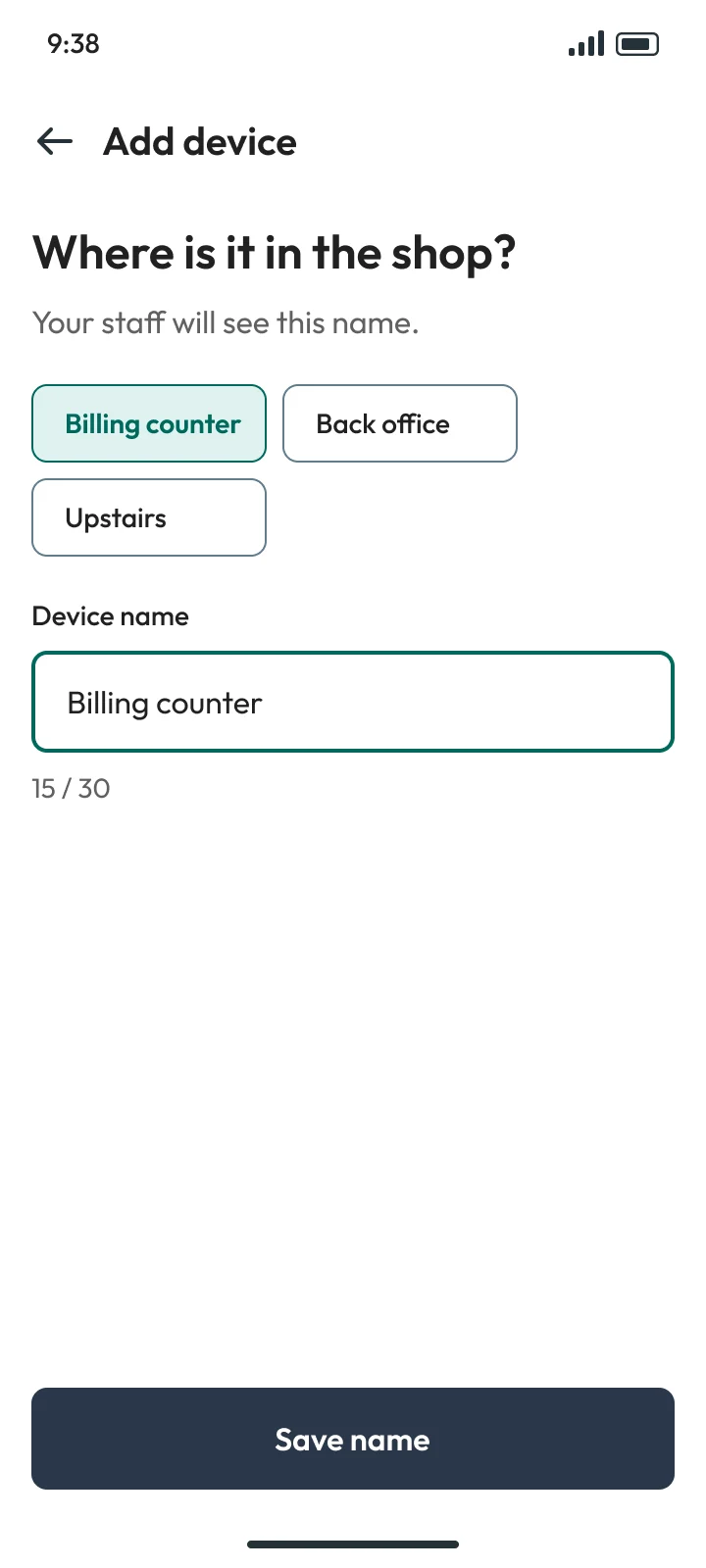
  5. 5NAME IT

    Step 5: Where is it in the shop? Name chips like Billing counter, Back office, Upstairs
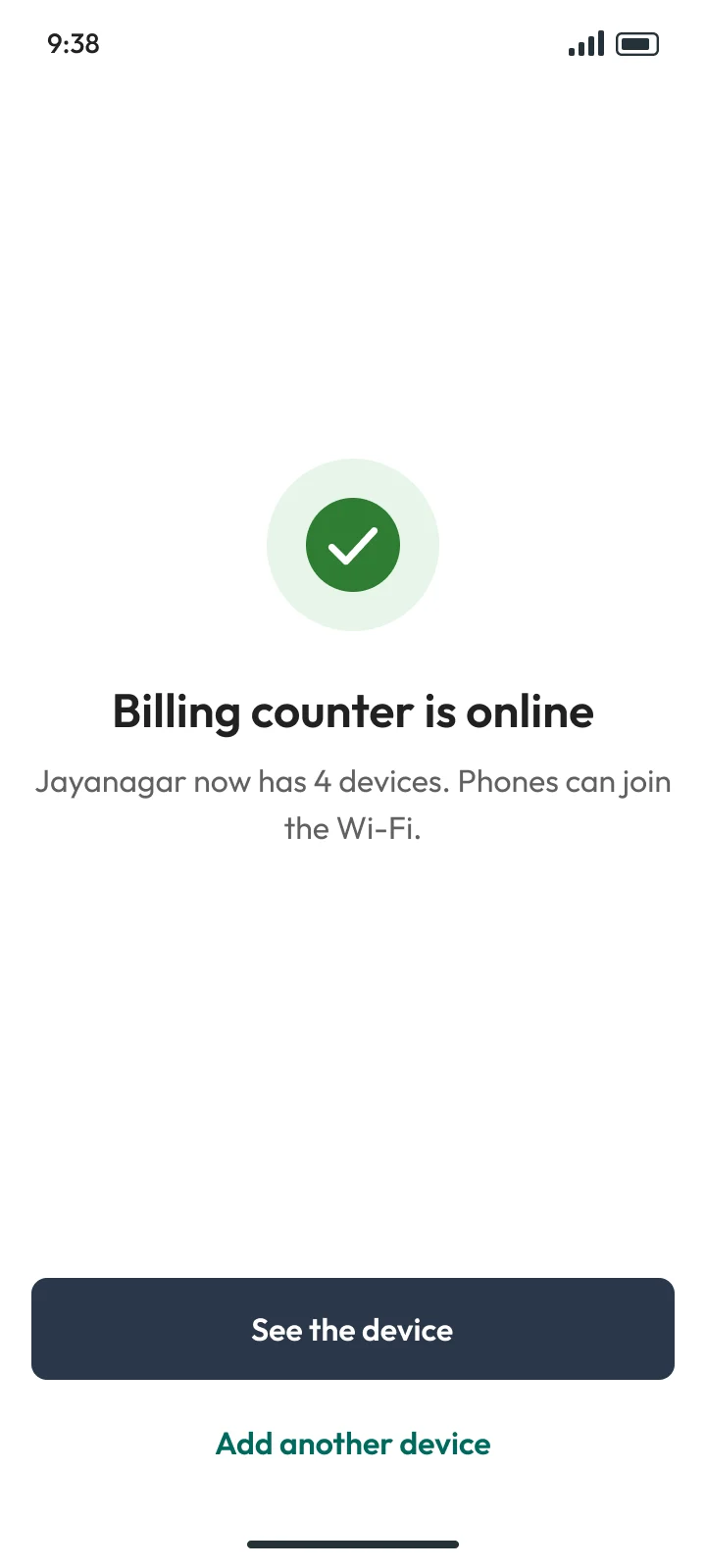
  6. 6ADDED

    Step 6: Billing counter is online. Jayanagar now has 4 devices

When it goes wrong · The screens most apps skip

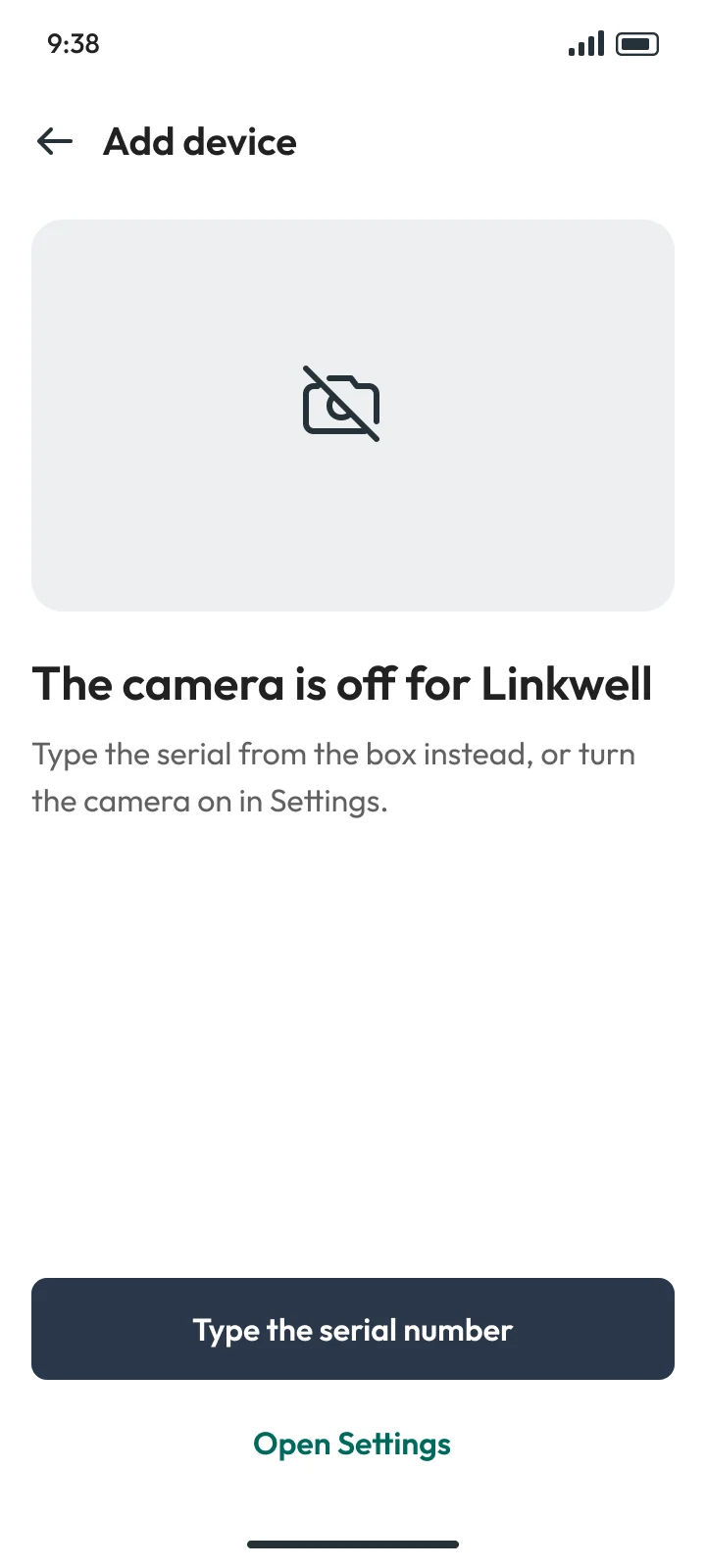
  1. ACAMERA OFF

    When it goes wrong: The camera is off for Linkwell: type the serial from the box instead, or turn the camera on in Settings
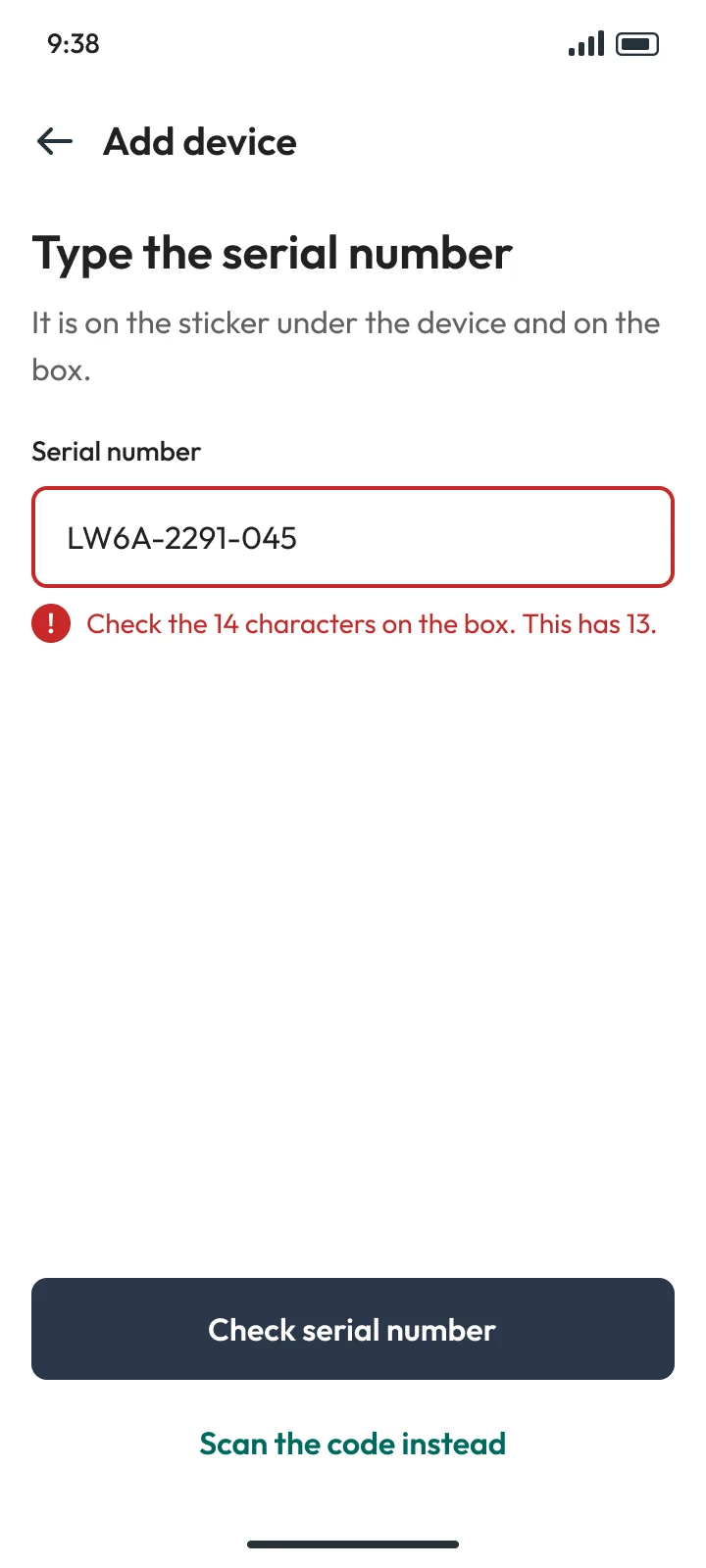
  2. BSERIAL WRONG

    When it goes wrong: The serial number has 13 characters, it needs 14, so the field says what to check
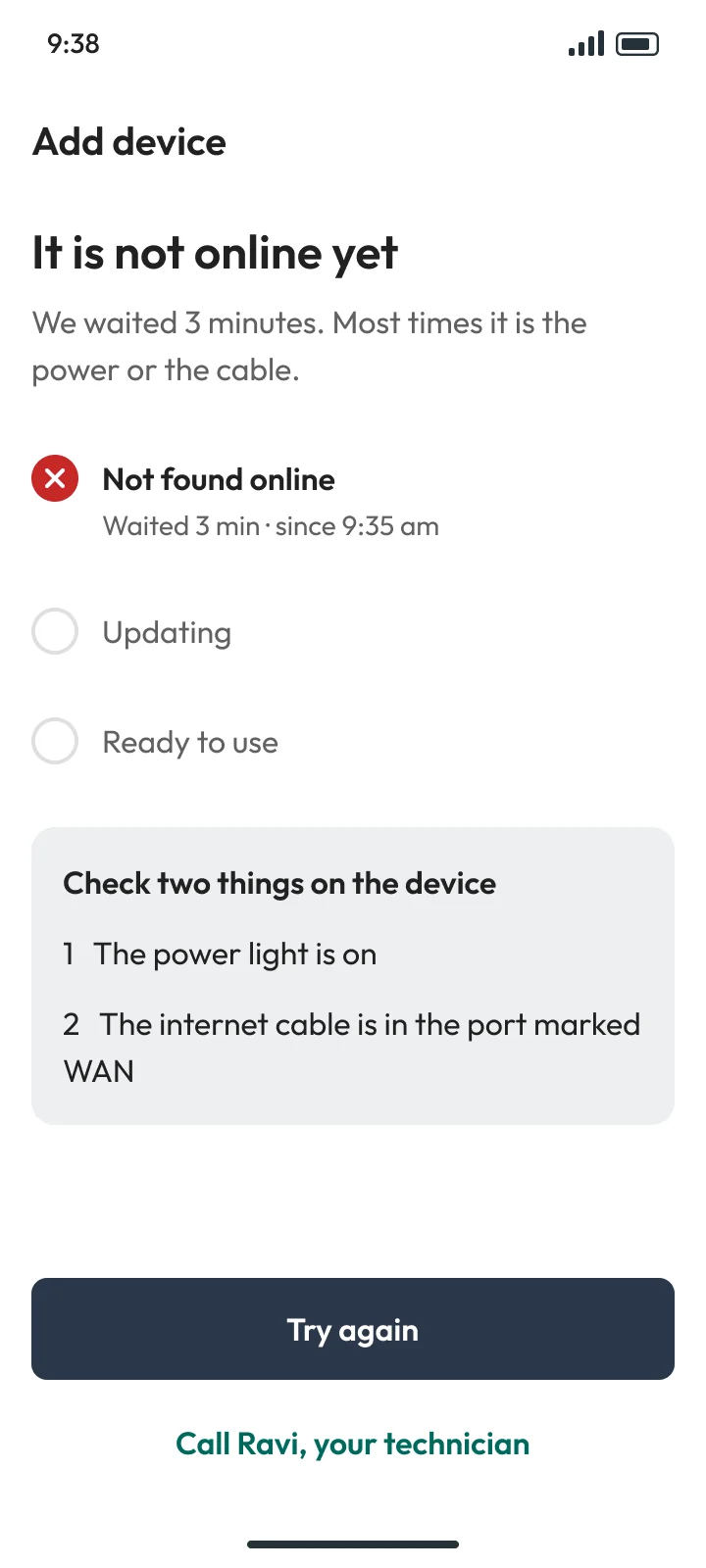
  3. CNOT ONLINE

    When it goes wrong: It is not online yet after 3 minutes: check the power light and the cable, try again, or call Ravi the technician
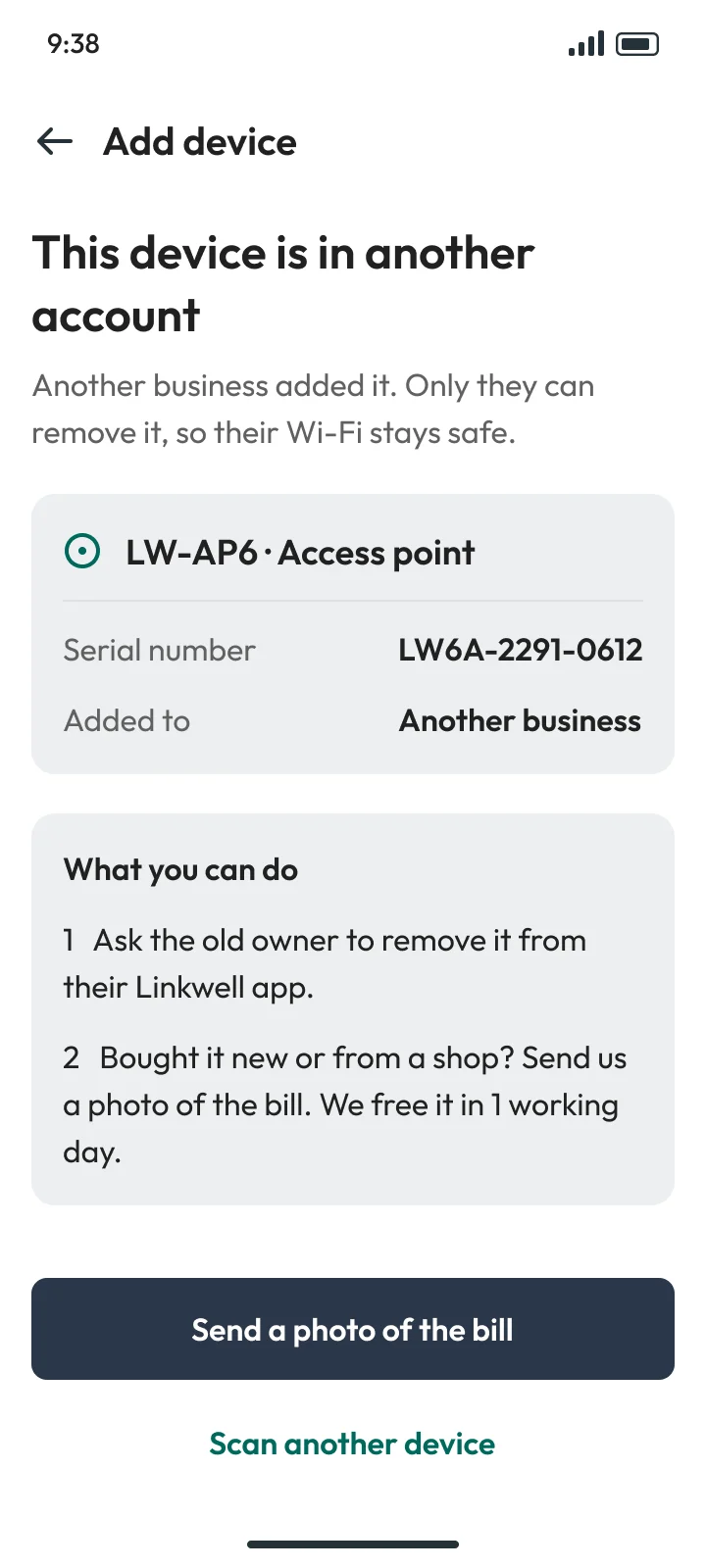
  4. DIN USE

    When it goes wrong: This device is in another account: ask the old owner to remove it, or send a photo of the bill
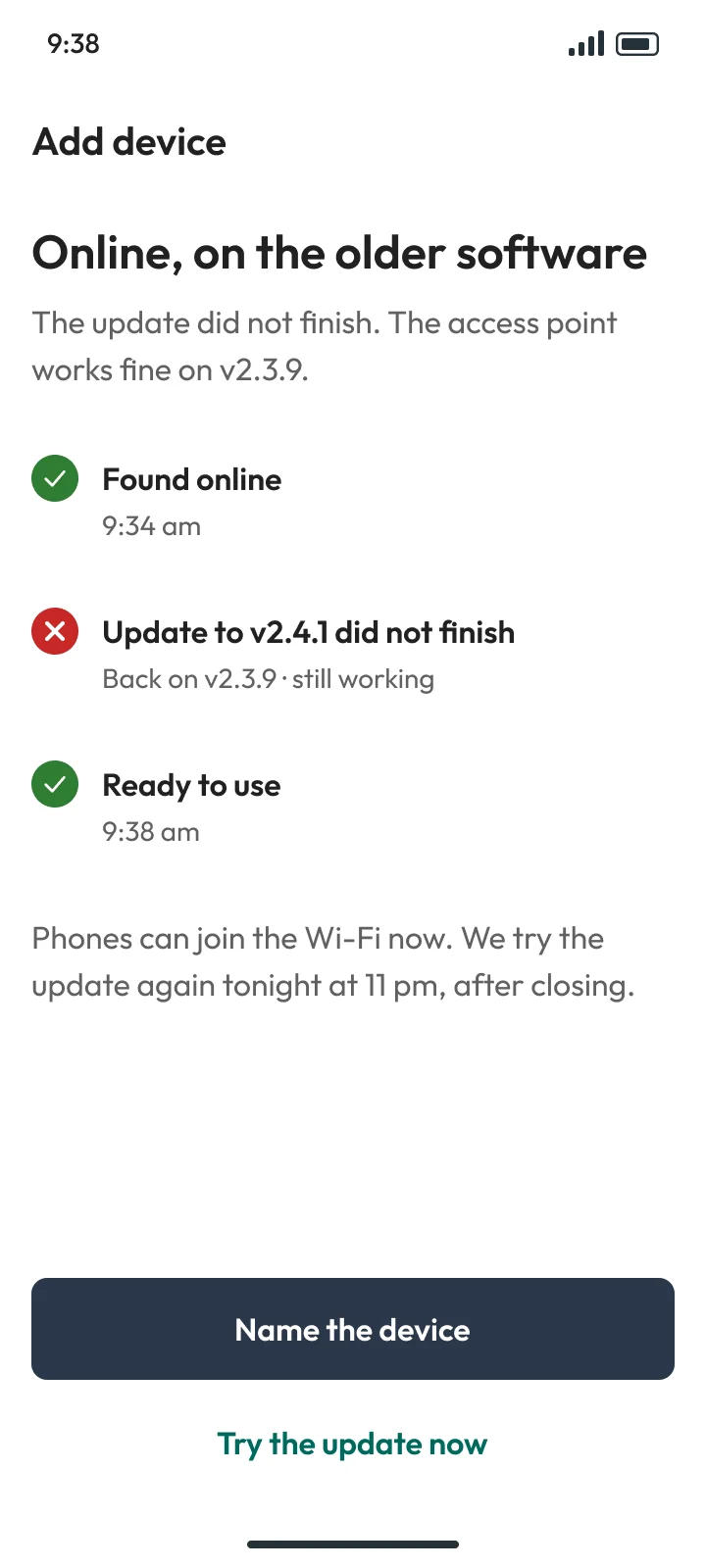
  5. EUPDATE FAILED

    When it goes wrong: Online, on the older software: phones can join now, the update tries again tonight at 11 pm
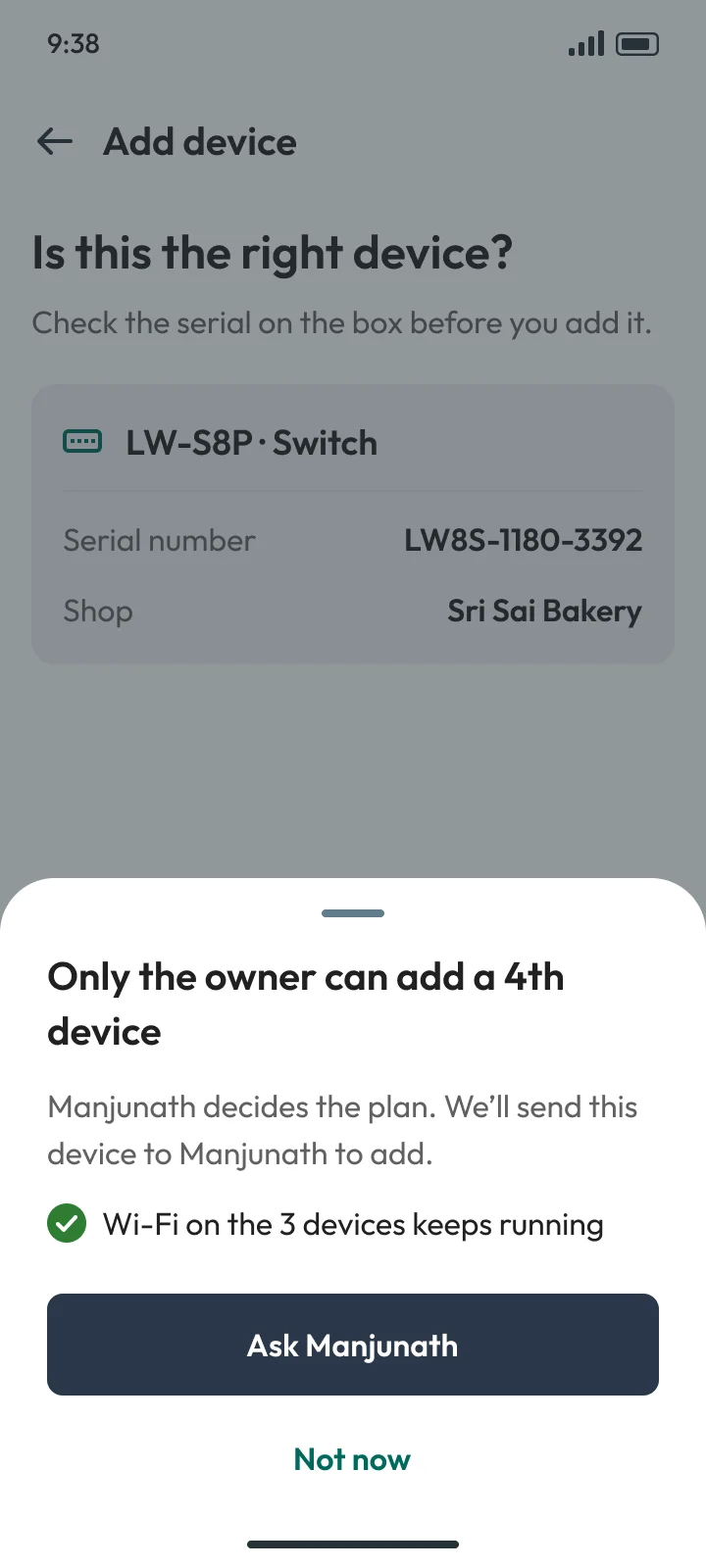
  6. FMANAGER

    When it goes wrong: A manager adding a 4th device on Free sees no price, only: ask Manjunath, the owner

Same rule in all 10 parts. For the core screens, a table of 260 edge cases, none left blank.

03 · Three decisions

THREE CALLSTHAT SHAPED IT.

One sentencebeforeany list.

Why

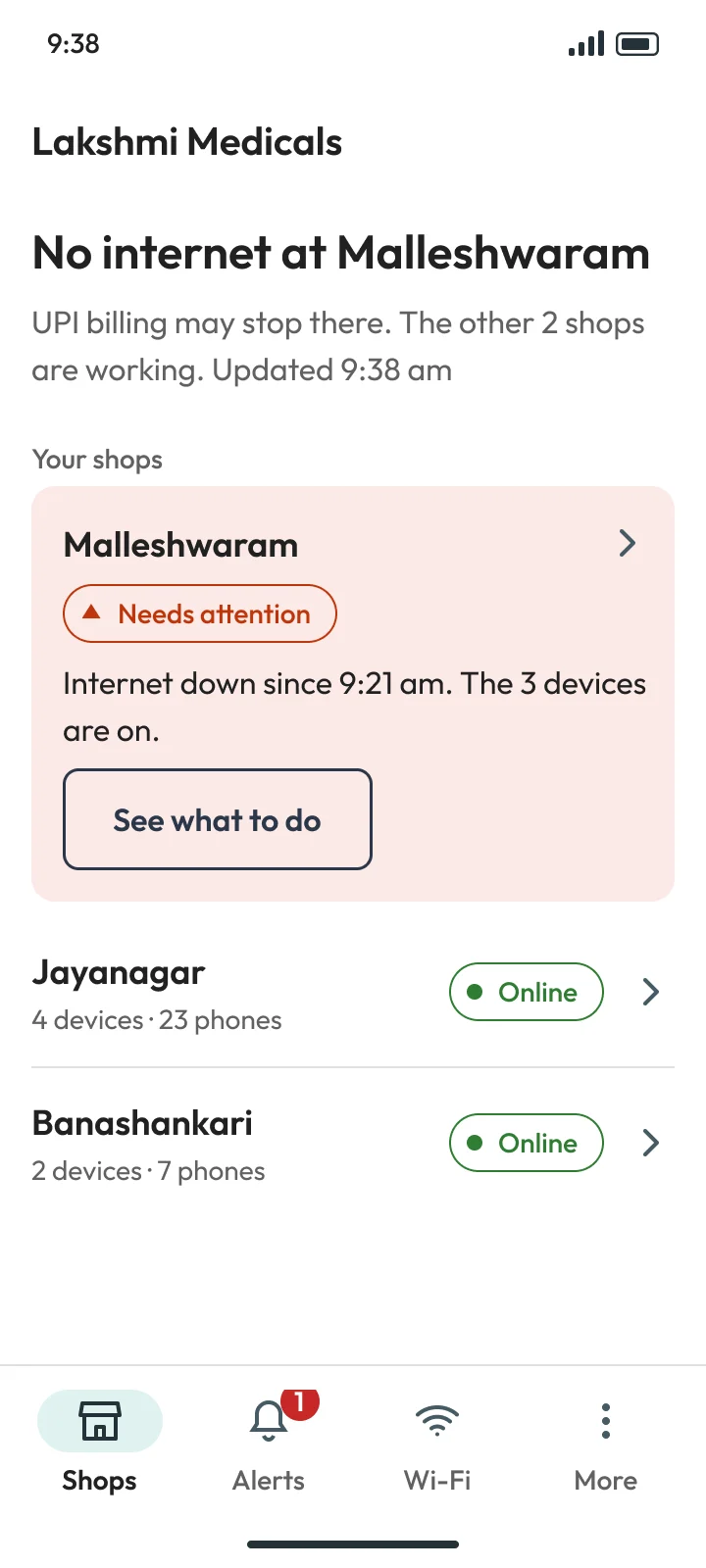
An owner with 3 shops opens the app for one answer. Home gives it in a sentence: “Billing Wi-Fi working in all 3 shops”. A shop with a problem jumps to the top, with what to do.

All working
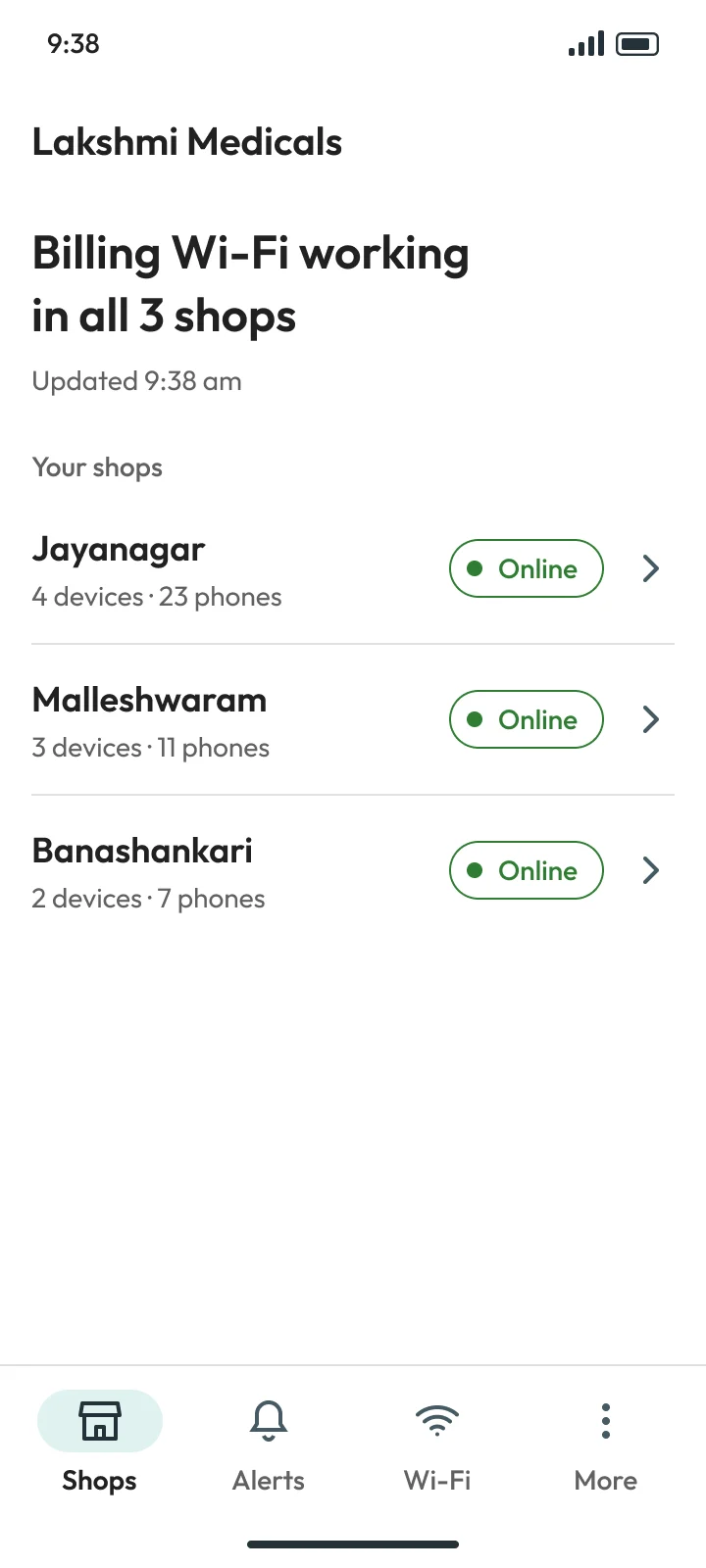
Home, all working: Billing Wi-Fi working in all 3 shops, then the 3 shops, each Online

One shop down

Home, one shop down: No internet at Malleshwaram, and that shop on top with See what to do
problem shop on top, with what to do.

One alert,not twenty.Then “backonline”.

Why

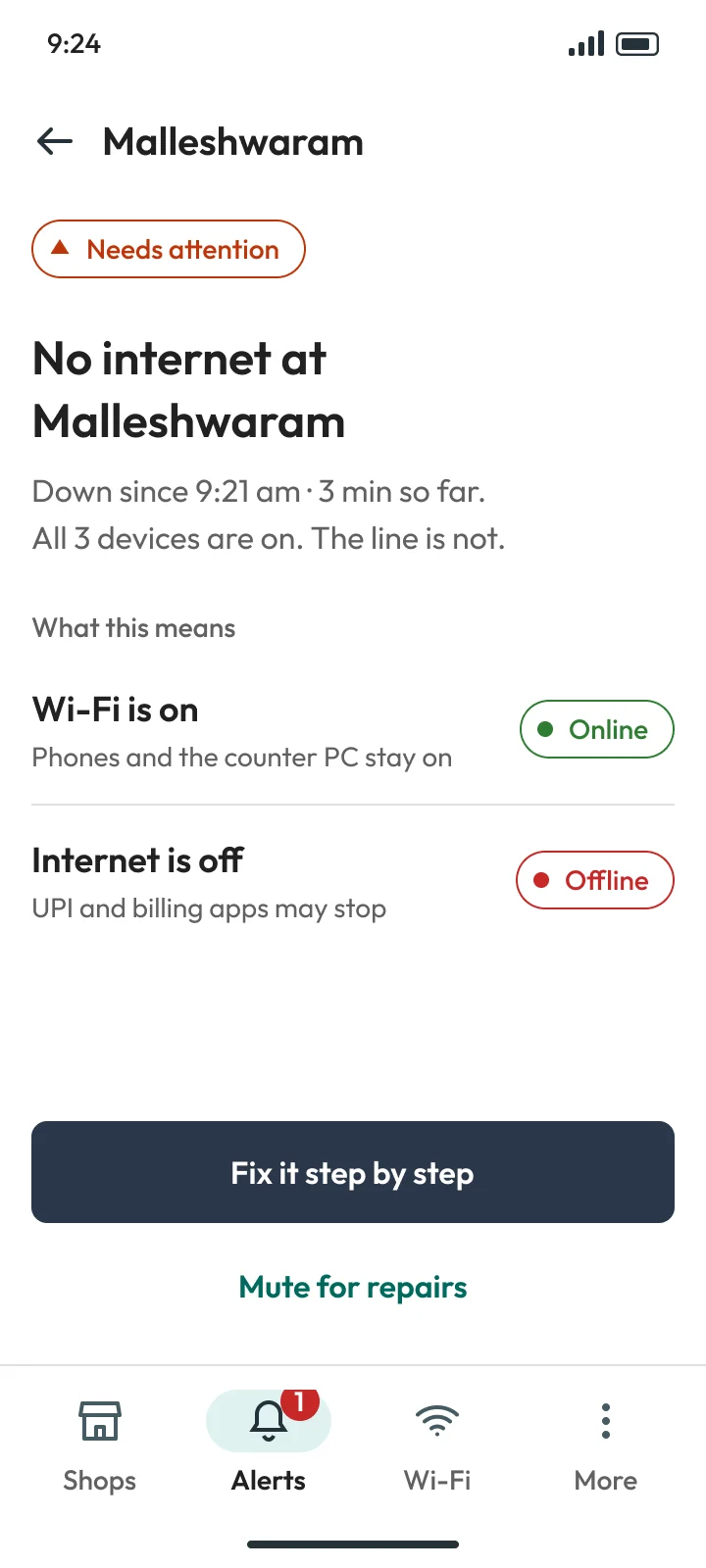
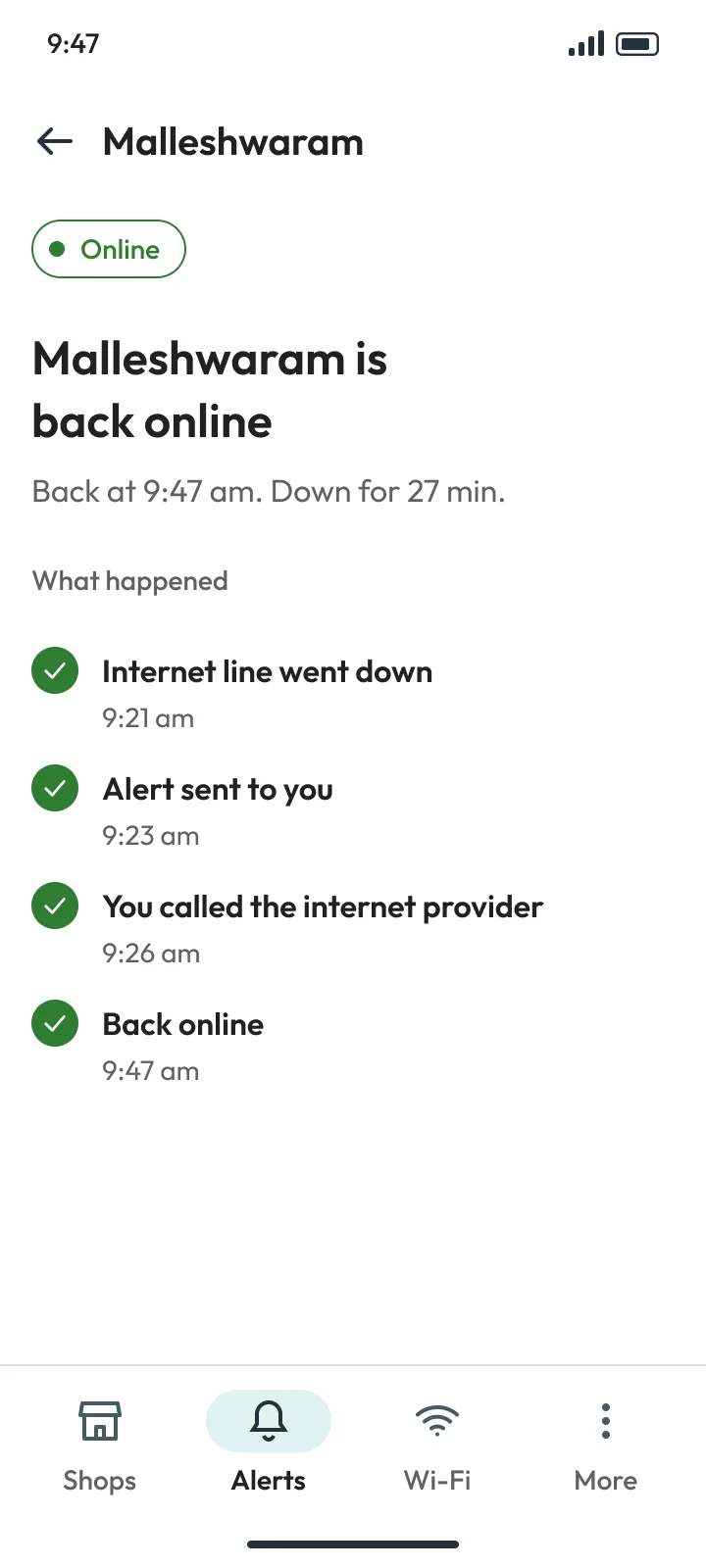
Alerts wait 2 minutes, so a short drop stays quiet. Then one alert per shop, saying what still works. Every “down” gets its “back online”, so nobody keeps worrying.

Alert detail

Alert detail: No internet at Malleshwaram. Wi-Fi is on, internet is off, UPI and billing apps may stop. Fix it step by step

Back online

Back online: Malleshwaram is back online, down for 27 minutes, with what happened step by step

It costsfeatures.Never the Wi-Fi.

Why

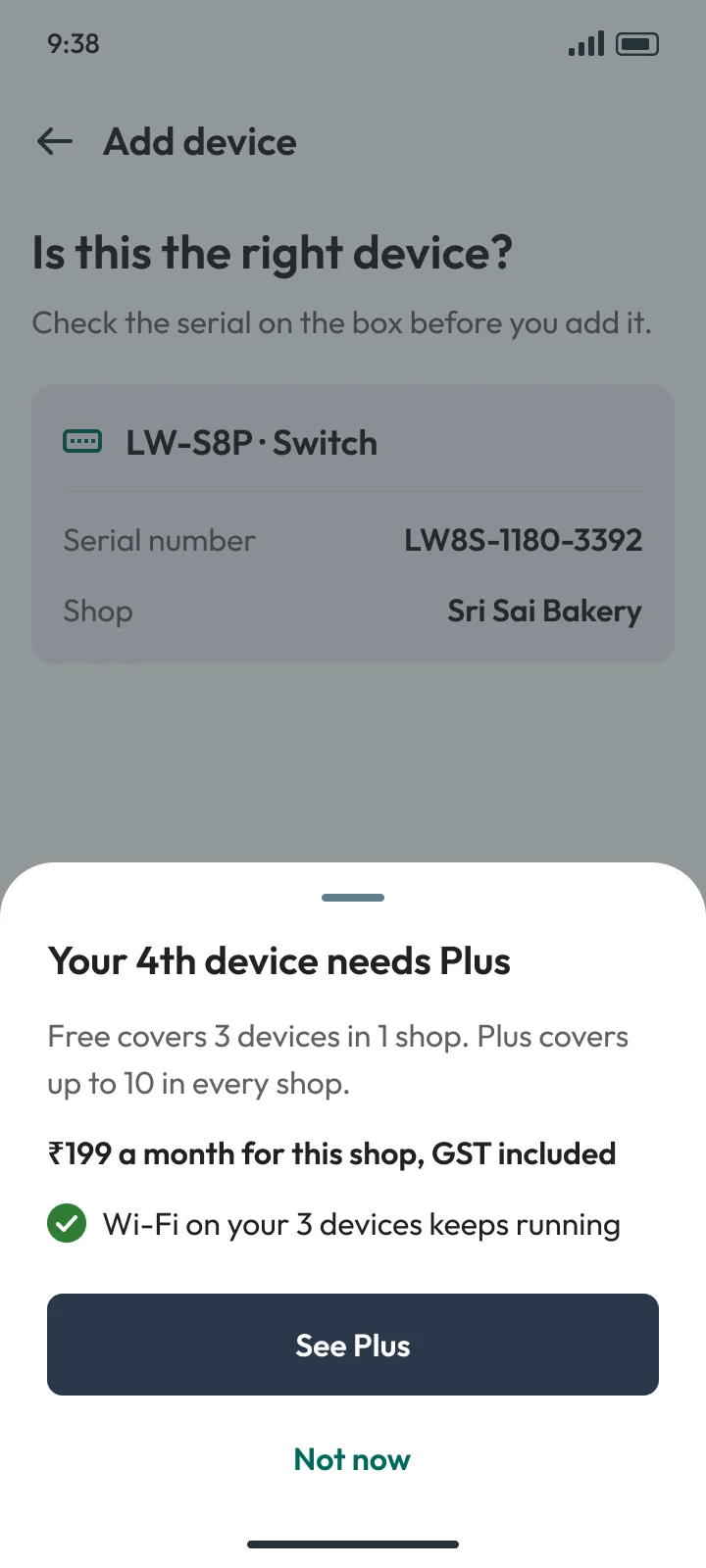
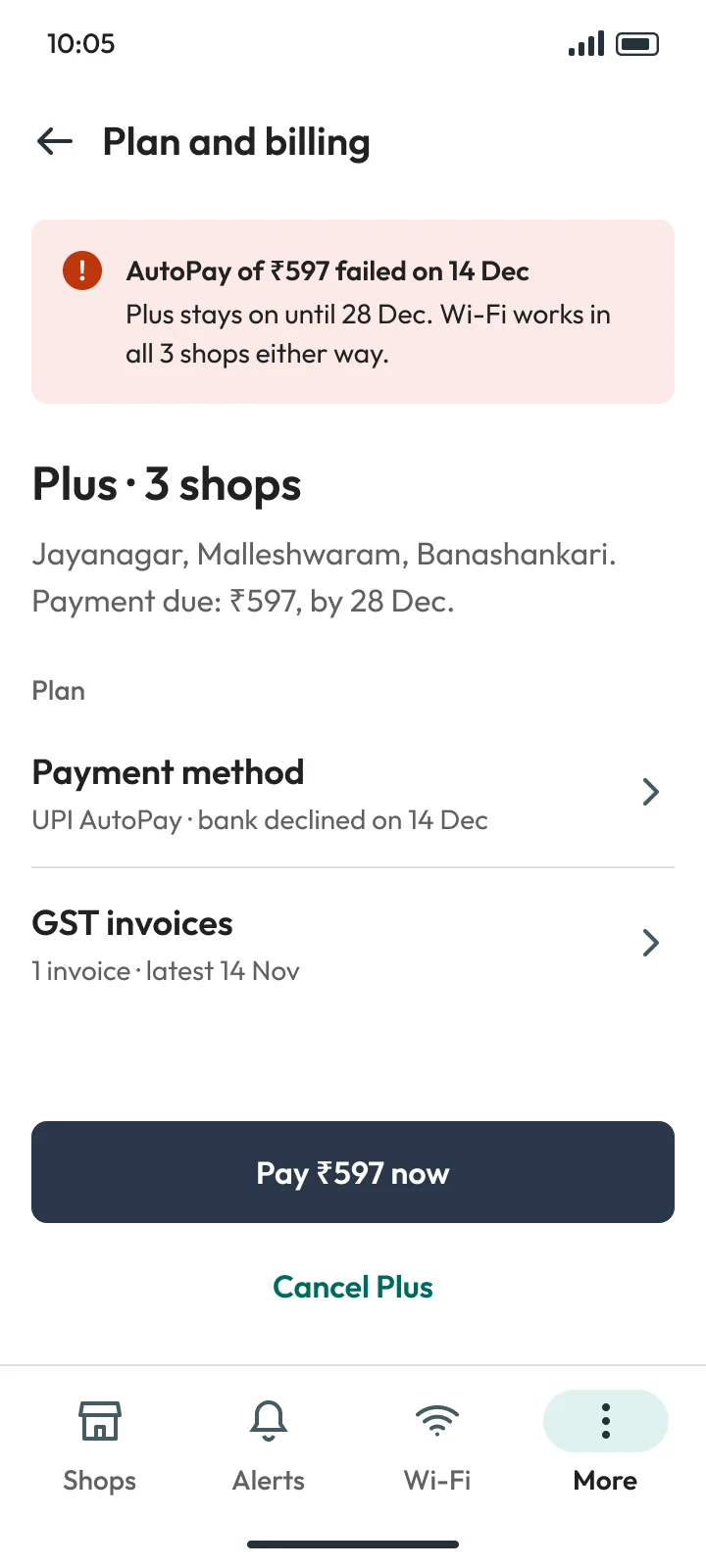
Owners fear a missed payment will switch off billing. So a price shows only where it helps, and a failed payment keeps the Wi-Fi running for 14 days, then drops features, never the Wi-Fi.

4th device on Free · Owner

Adding a 4th device on Free: the owner sees Plus at ₹199 a month for this shop, and Wi-Fi on the 3 devices keeps running

AutoPay failed

Plan and billing: AutoPay of ₹597 failed, Plus stays on until 28 Dec, Wi-Fi works in all 3 shops either way
payment failed. wi-fi still on in all 3 shops.

04 · The result

WHAT’S IN THE FILE.

A full app in Figma, ready for a developer: prototype, accessibility checks, test plan and handoff notes.

112

screens, sign-up to billing

71

more states written down

5

clickable prototype flows

0

real owners met yet

Next step: ask 10 shop owners about their last outage.

Open the Figma file →

05 · Where I used AI

I DIRECT.AI EXECUTES.

The calls on this page were mine. AI built the screens in Figma from my flows and drafted the research; I checked every quote and every screen.

MY CALLS

  1. 01Asked “what about the not-happy part?”: 4 more screens
  2. 02Owners with 2+ shops open on All shops
  3. 03Persona cards neutral: teal already meant a finding
  4. 04A price never cuts the Wi-Fi, and managers never see one

AI’S PART

  1. 01Gathered public reviews of 5 apps; I re-checked quotes
  2. 02Built the frames in Figma from my flows and rules
  3. 03Wrote the plain-English story of the project
  4. 04Checked contrast and 200% text on every screen

Next case study · 03 of 03

GoComet

A brand system for an AI-native freight company: design system, deck, website, AI flow and a 53-second film.

or ← back to home

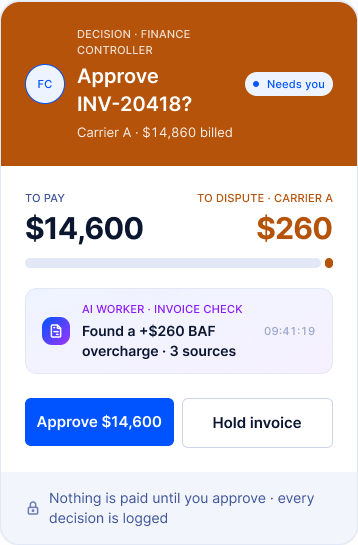
GoComet decision card: approve a $14,600 invoice after the AI found a $260 overcharge

The decision

Blue acts. Violet thinks.

violet = AI at work. one per view, max.
blue = a person acts. never the AI.